
FoodTruck Business
The command center for serious food truck operators.
FoodTruck connects live orders, kitchen flow, menus, inventory, events, billing, customer follow-up, and AI guidance in one SaaS platform built for mobile food businesses.
Why operators use it
FoodTruck turns scattered daily work into an action inbox.
Run service without guessing
New, kitchen, ready, completed, canceled, and no-show orders stay visible in one live board.
Keep menu and route current
Update availability, pricing, photos, service windows, live location, and route stops from the business tools.
Convert catering demand
Build quotes, track deposits, prepare event sheets, and record food protocol from the same workflow.
Follow up like a pro
AI CRM drafts email/SMS messages from customer signals while keeping human approval before sending.
Operator pricing
Simple plans for drivers and food truck operators.
Customers browse trucks for free. Approved operators can start on a limited Free plan, then upgrade in the FoodTruck Business app when they need paid business tools.
$0/month
Limited operator workspace.
For an approved single truck starting with a basic presence.
- Public profile, menu, and weekly schedule
- Basic lead form and customer discovery
- Limited workspace after claim approval
$29/month
Single-truck operator tools.
For one truck that needs a reliable public presence.
- Public profile, menu, and weekly schedule
- Basic lead form and customer discovery
- Self-serve profile and publishing tools
$79/month
Full growth and event workflow.
For operators converting catering, events, and repeat customers.
- Quotes, deposit tracking, prep sheets, and event profitability
- Menu photos, live location, broadcast drafts, and loyalty
- Growth dashboard with CSV/API-ready sales import
$199/month
Up to 3 trucks in v1.
For multi-truck teams coordinating people, trucks, and reporting.
- Up to 3 trucks included
- Team access and dated driver/truck assignments
- Aggregate reporting and priority support queue
App Store billing:
Paid operator access is purchased in FoodTruck Business with StoreKit. The app shows Apple's localized price before purchase.
Temporary demo account
Explore Bay Bites Demo Truck with realistic operating data.
The demo account shows a live service day with open orders, kitchen tickets, menu items, inventory risk, catering quotes, finance signals, and suggested next actions. It is read-only to production systems and safe for prospects.
Demo ready
Bay Bites Demo Truck
California bowls, tacos, and fresh drinks
- Orders now
- 7 active
- Revenue today
- $842.50
- Catering lead
- $1,950 quote
- Inventory risk
- 2 low-stock items
Product examples
Real workflows your operator can understand in minutes.
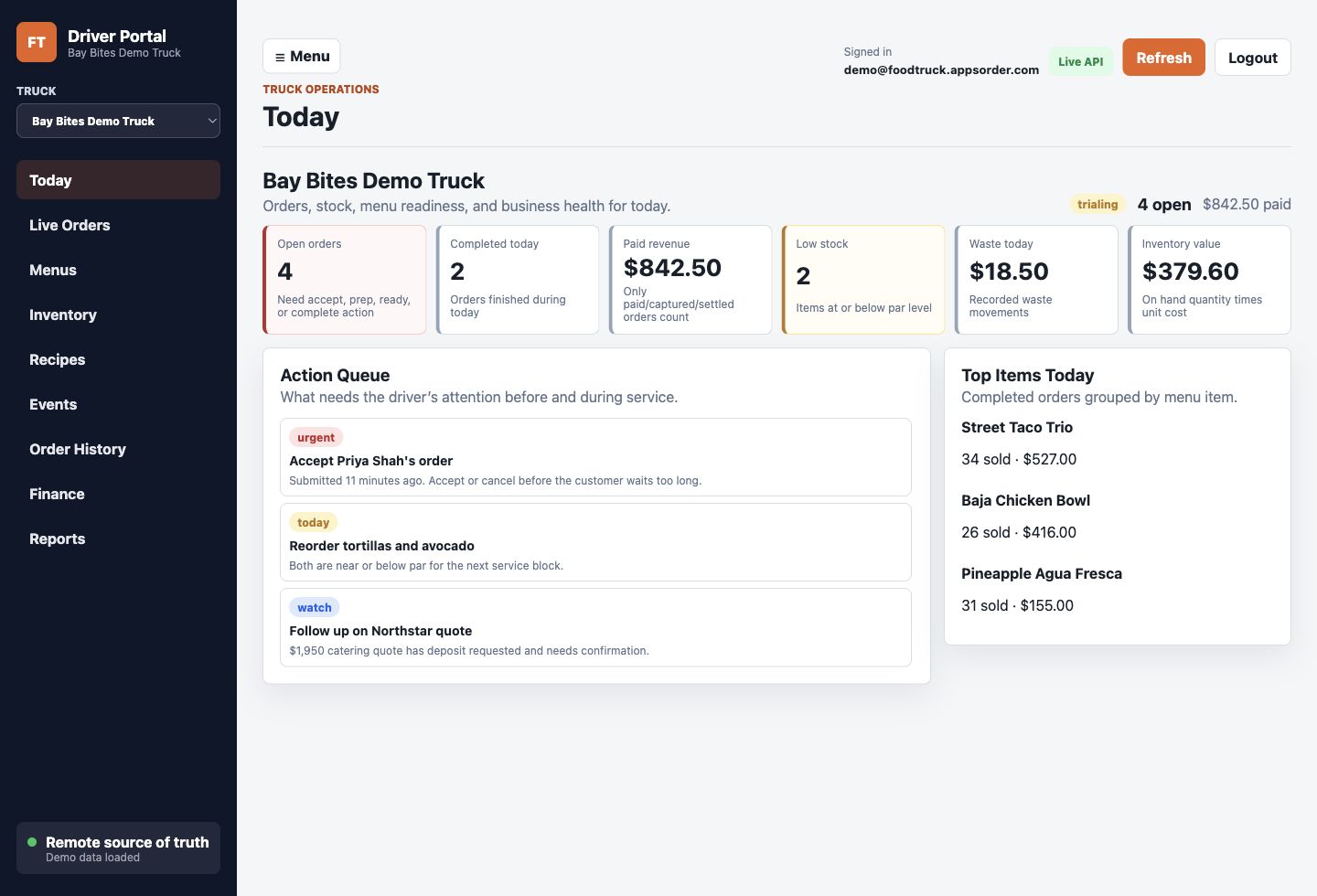
Daily command
Bay Bites starts with the right priorities
Open orders, paid revenue, low stock, top sellers, and AI-style next actions stay on the first screen.
Live service
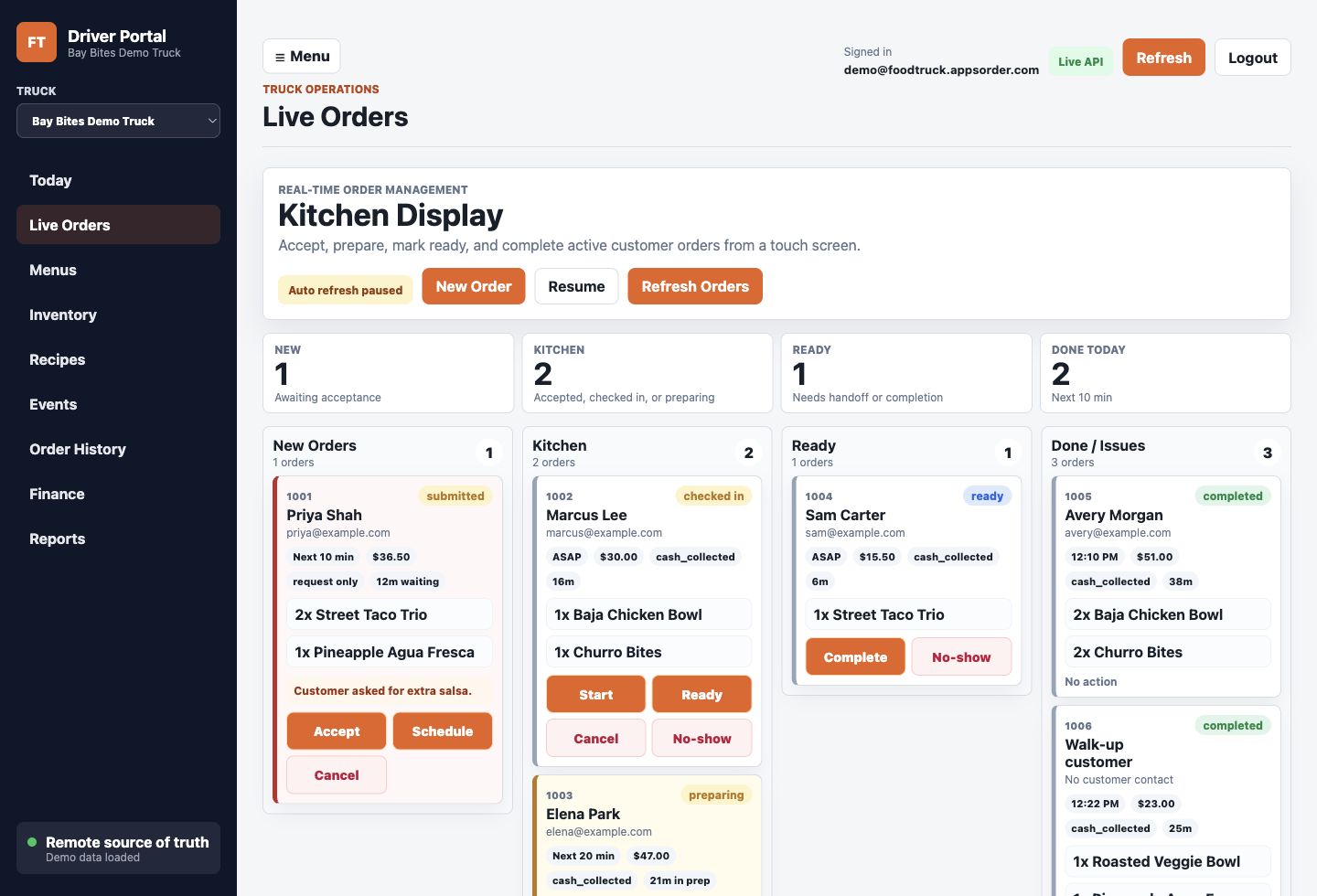
Orders move through a real kitchen board
New, kitchen, ready, completed, canceled, and issue orders are visible with customer and item context.
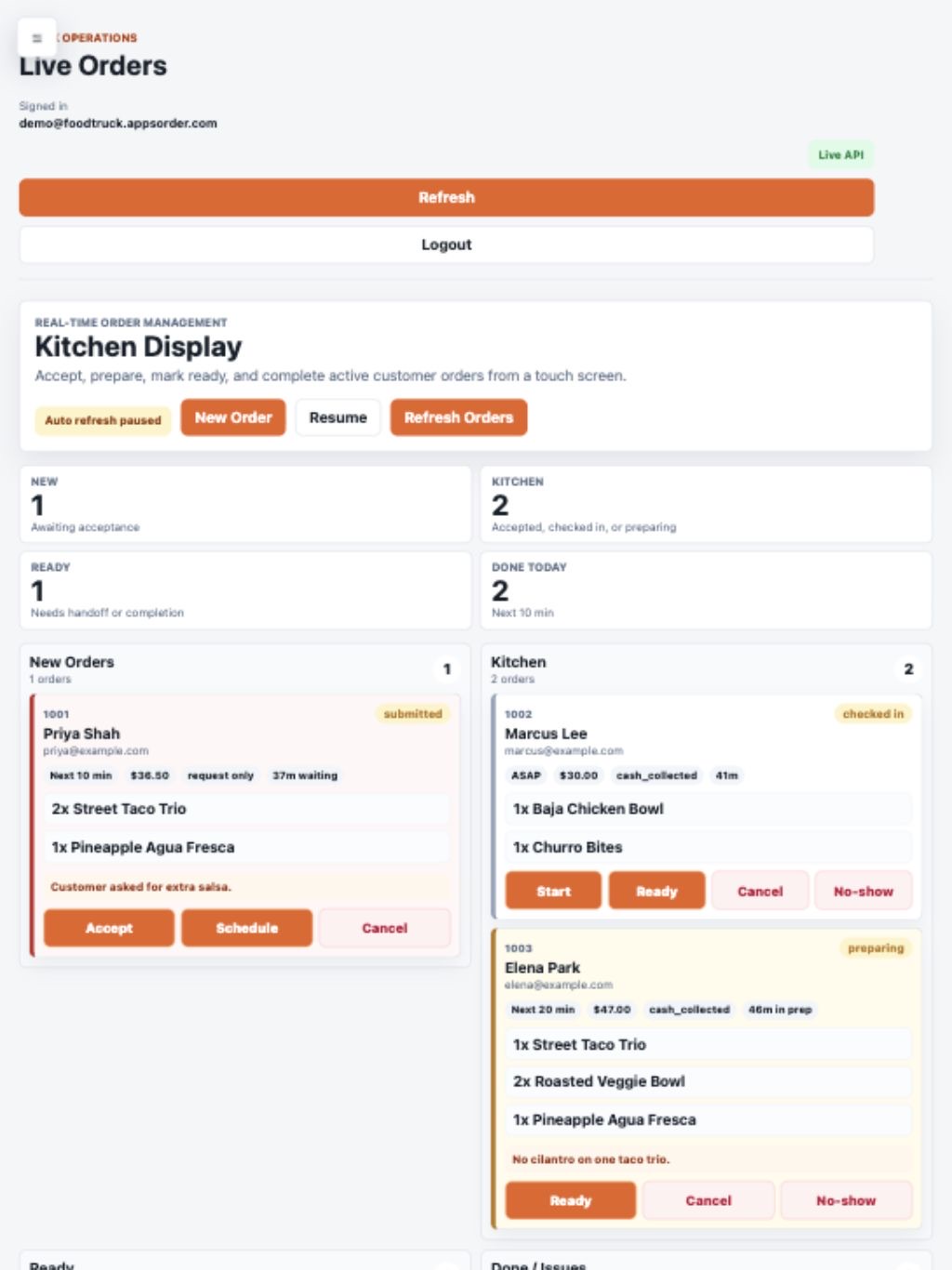
Tablet service
The queue stays focused when the side menu is hidden
Tablet operators get the full service board without a permanent sidebar taking space from orders.
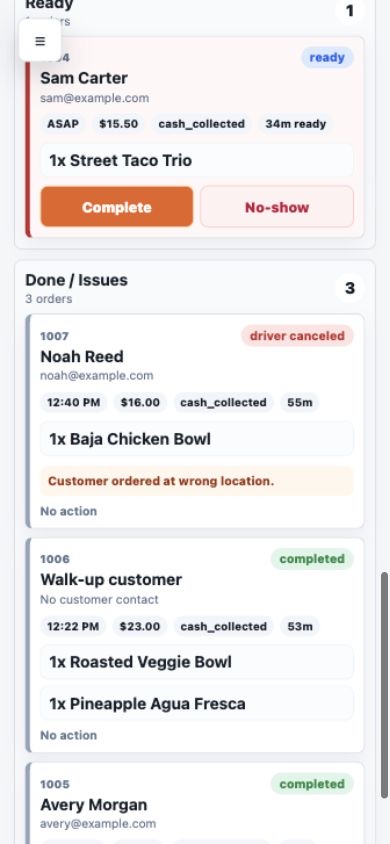
Phone view
Issues stay visible even on a small screen
Canceled and no-show orders stay ahead of completed orders so problems are not buried.
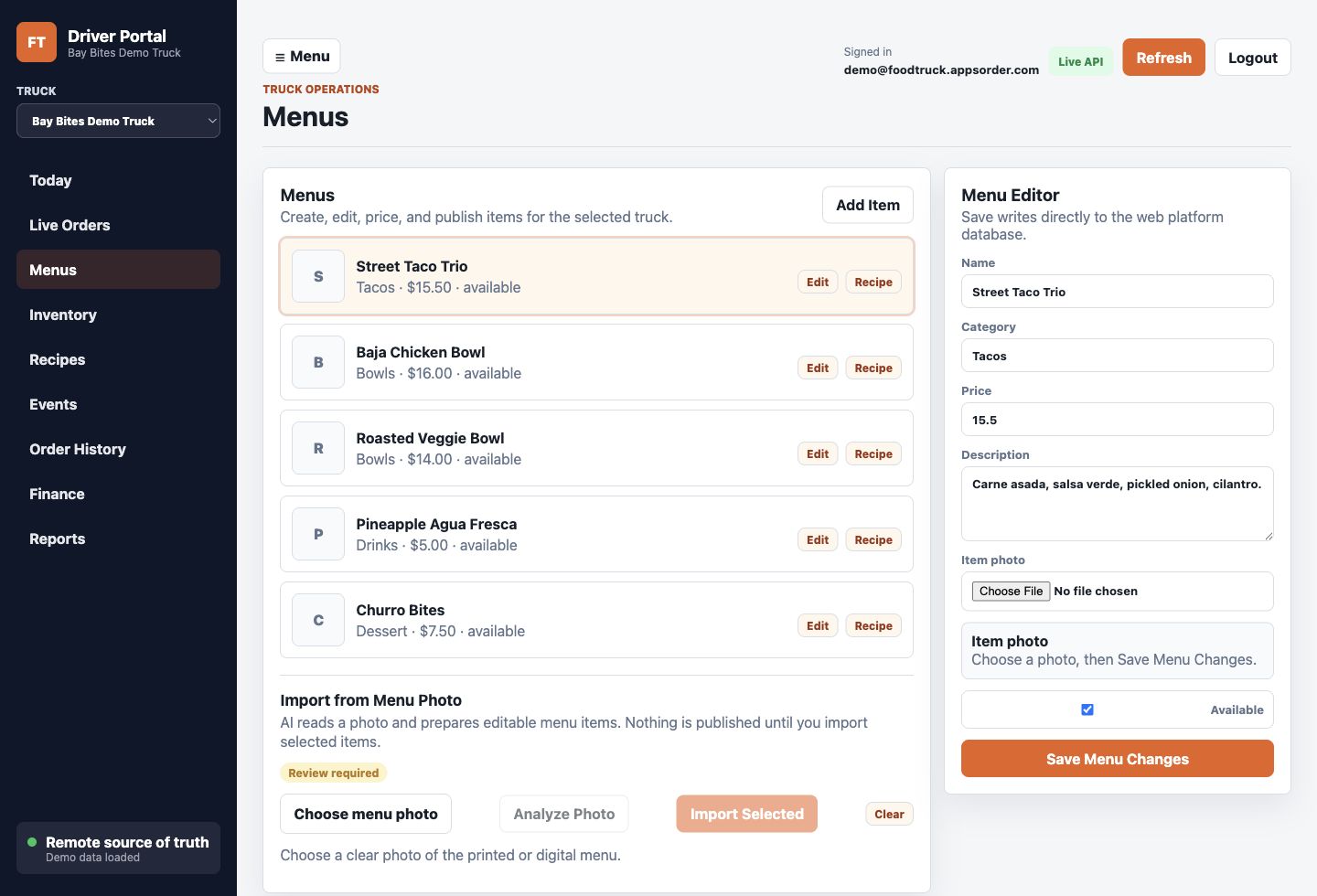
Menu control
Menu, pricing, photos, and availability stay editable
Bay Bites can tune live menu data before or during service without leaving the operator workspace.
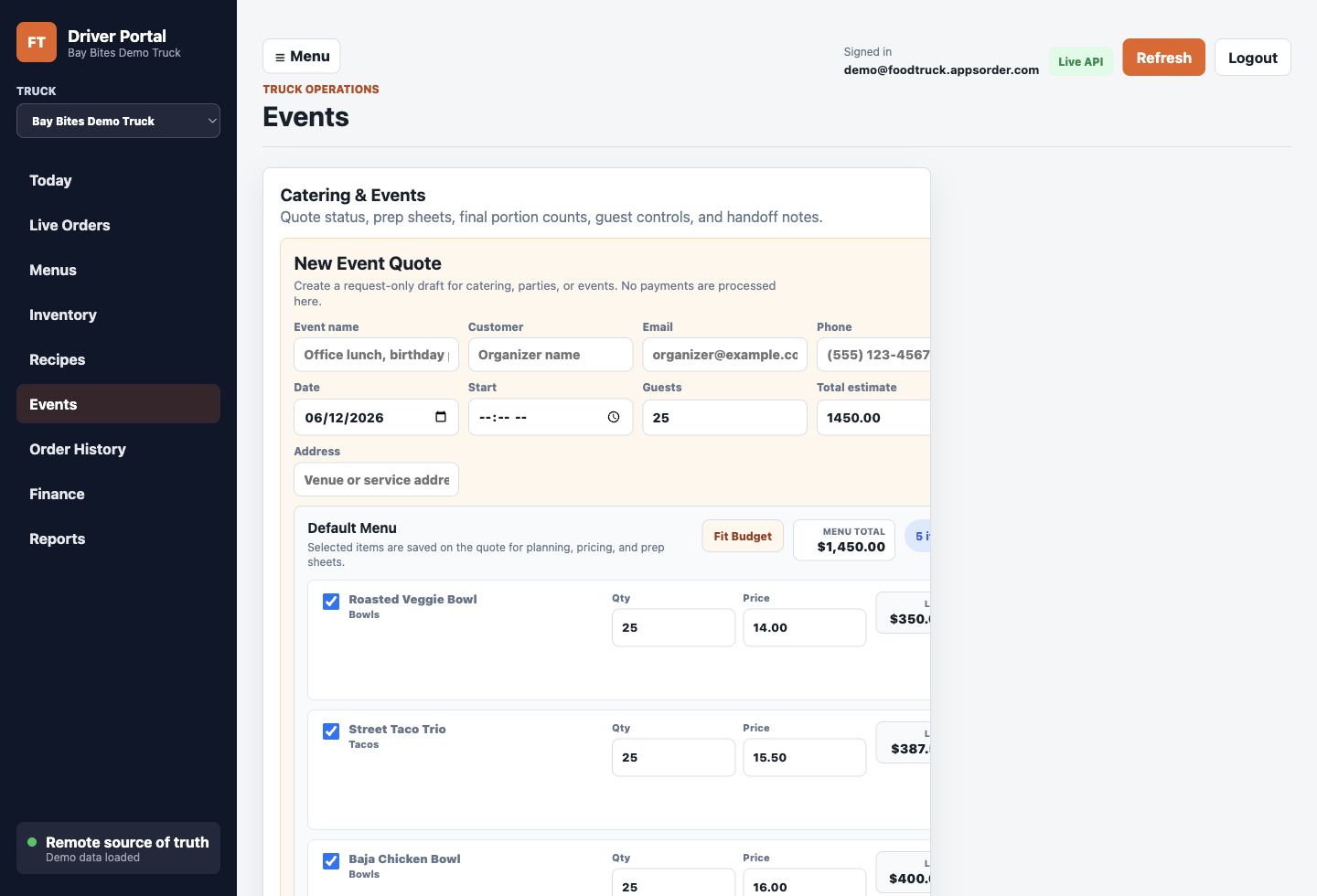
Catering workflow
Event quotes connect revenue, prep, and protocol
The Northstar office lunch quote shows totals, deposit, menu items, prep planning, and service controls.
AI consultant
Built-in answers for prospects and operators.
The assistant uses a curated FoodTruck knowledge base for common sales, onboarding, operations, billing, and support questions. It recommends the demo when a prospect needs proof.
Account creation
Create your account in FoodTruck Business.
New driver/operator accounts are created only from the mobile apps. After your account is approved, use this web portal to sign in when you need the larger admin or driver workspace.
FAQ
Common questions answered before a demo call.
Who is FoodTruck for?
Independent operators, multi-truck teams, and mobile food brands that need a practical control system for orders, location, menu, catering, customers, and business performance.
Does the website create new accounts?
No. New driver/operator accounts are created only from the mobile apps. The web portal is for approved users, admins, and the temporary demo experience.
How much does FoodTruck cost for operators?
Customers browse for free. Approved operators can use a limited Free plan. Paid business plans are Starter $29/month, Pro $79/month, and Fleet $199/month through FoodTruck Business.
What does AI do inside the platform?
AI helps summarize risks, draft customer follow-ups, guide next-best actions, and answer common operator questions. It does not approve, send, refund, delete, or change public records without a human action.
Can I see real workflows?
Yes. Use the demo truck to inspect live orders, menu management, inventory, catering quotes, finance, and reporting with realistic sample data.